
Can’t Find Your Notion Template? Let Us Help You!
Thank you for purchasing our Notion template! To make sure you can access your template successfully, we’ve outlined some important information below. Please read through carefully to help you locate the email containing your download link.
1. Important: Understanding the Emails You’ve Received
Did you receive an email from Lemon Squeezy or Creem?
Please note that emails sent by our payment processors, such as:
Lemon Squeezy (hello@lemonsqueezy-mail.com)
Creem (hello@creem.io)
are order receipts only.
These emails:
✅ Confirm your payment
❌ Do NOT contain your Notion template
We understand this may be confusing, but this email only serves as a confirmation of your purchase and does not include the template you bought.
2. The Correct Email That Contains Your Notion Template
The email that contains your Notion template is sent from orders@heyalbert.co. This is the email you need to find to access your template.
Sender Email:
orders@heyalbert.coContent: Download link for your Notion template
Delivery Time: Within a few seconds after completing your purchase
Please make sure to check your inbox for this specific email.
3. Tutorial Email (Documentation & Videos)
In addition to the template email, you will also receive another email from: albert@heyalbert.co.
This email contains:
Written documentation
Tutorial videos
Setup guidance for your Notion template
This email is also sent within a few seconds after purchase.
⚠️ Important: Please Do NOT Unsubscribe
Please do not unsubscribe from emails sent by:
If you unsubscribe:
You will no longer receive order-related emails
You may lose access to future updates
You may be unable to receive template-related emails you’ve already purchased
I Accidentally Unsubscribed. What Should I Do?
Contact us at: contact@heyalbert.co
Tell us the email address you used to purchase
We’ll manually remove your email from the unsubscribe list and resend your template and tutorials.
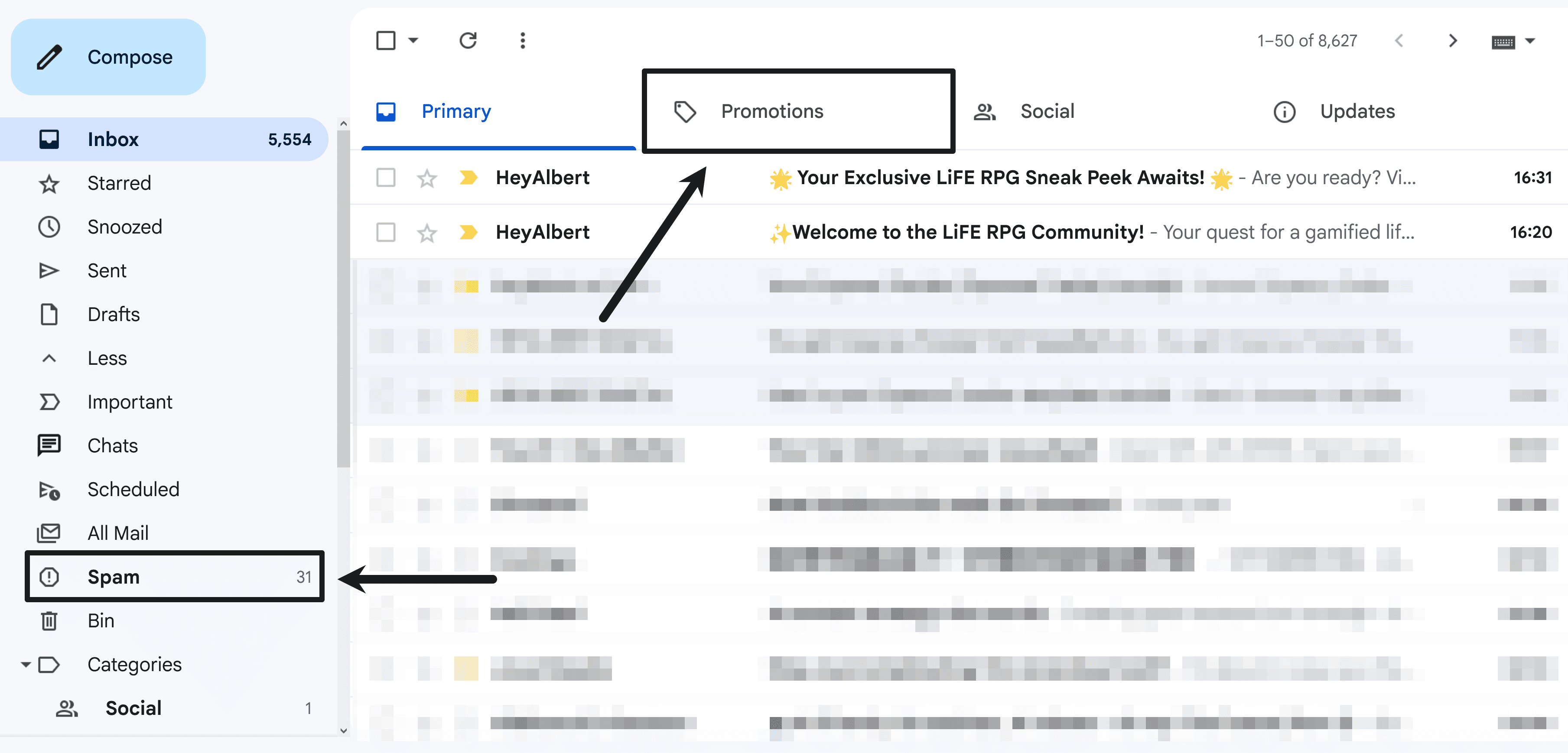
5. Still Having Trouble?
If you’ve tried all the steps above and still can’t find the email, please don’t hesitate to reach out to us. We’re always happy to assist you. When contacting us, it’s helpful to include your order number so we can resolve your issue more quickly.
Support Email: contact@heyalbert.co
(Please contact us using the same email address you used to place your order.)


